Simulating GCM Settings
Use the Simulate page to test your GCM setup in a simulated environment.
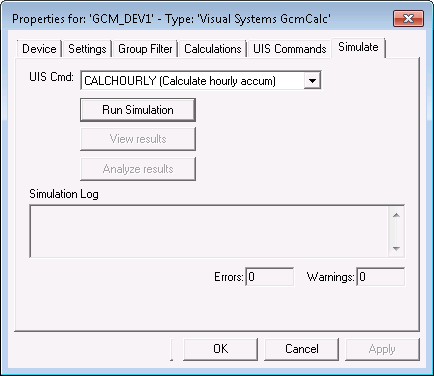
|
| Sample Simulate Page |
Simulate Properties
The following table lists and describes the fields found under the Simulate page.
| Parameter | Description |
|---|---|
|
UIS Cmd |
The name of the UIS command you want to simulate. This list populates from the UIS Commands page. |
|
Run Simulation |
Click this button to execute the simulation for the selected UIS command. |
|
View Results |
Click this button to view the simulation results in a collapsible tree format. A Simulation Results dialog appears when the simulation is complete. |
|
Analyze Results |
Click this button to view the simulation results in a pyramidal format. A Simulation Results dialog appears when the simulation is complete. Use Node Property and Cell Text to filter results. |
|
Simulation Log |
Provides details of any errors or warnings generated during a simulation. |

